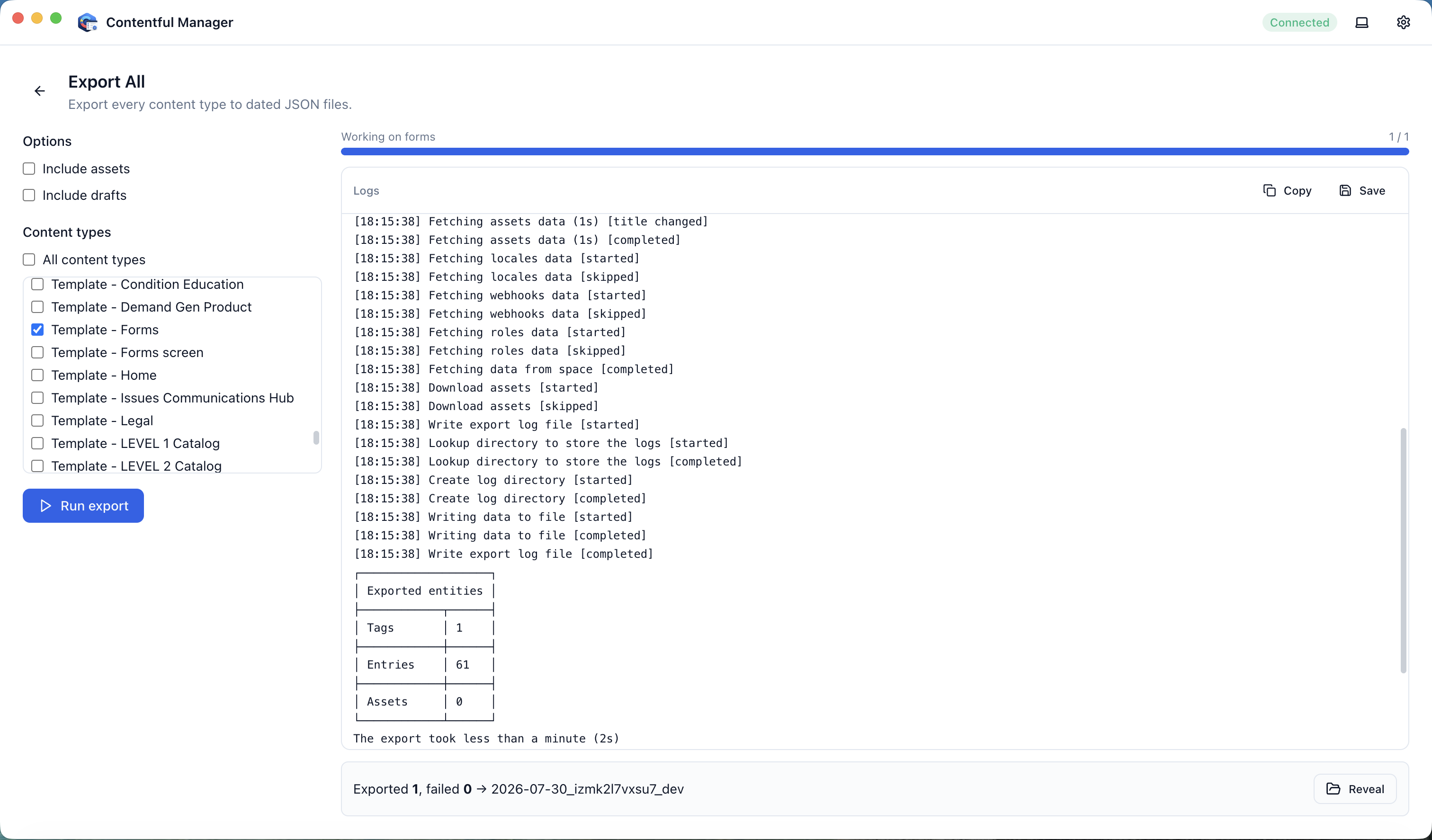
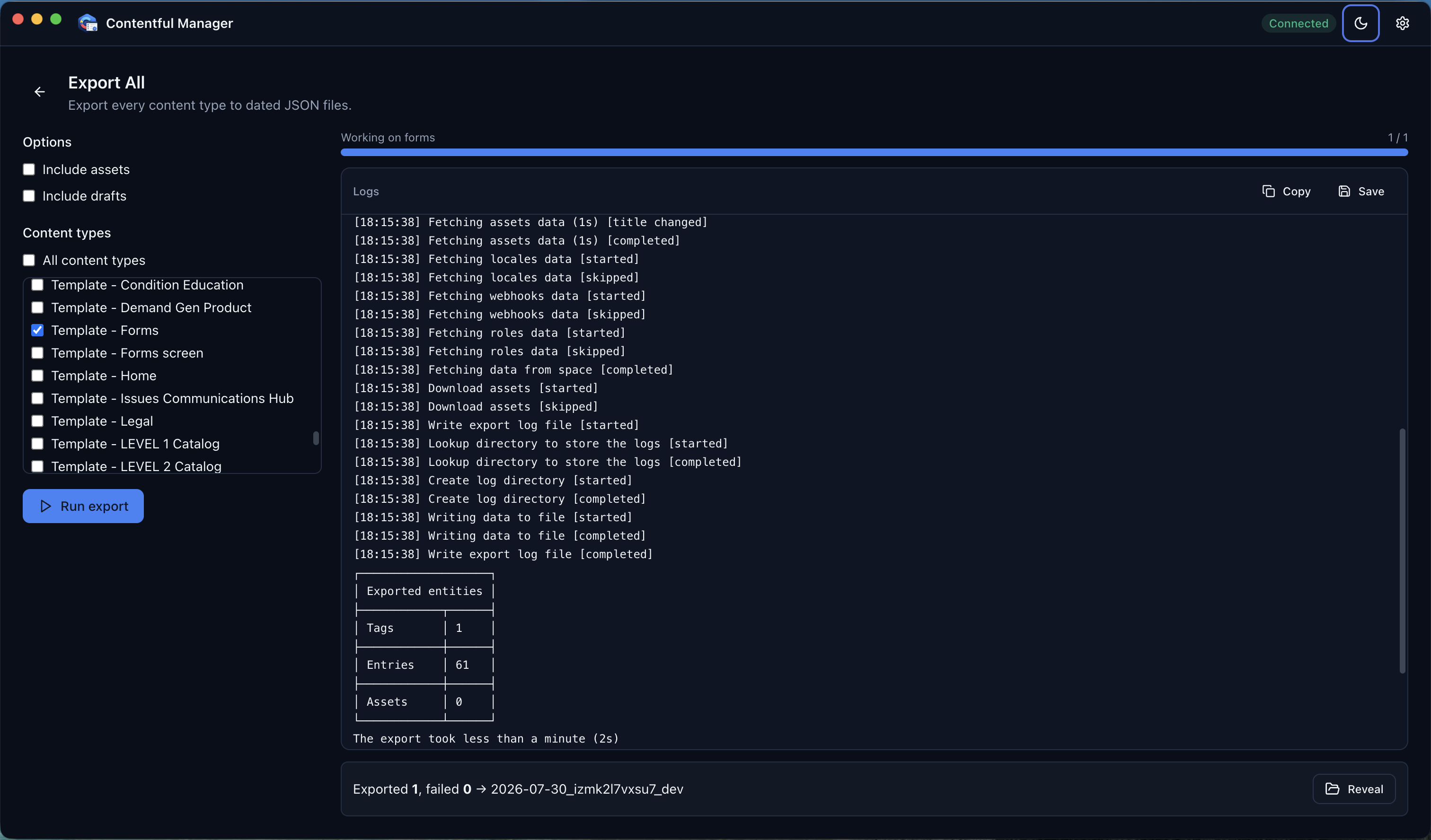
Export All
Bulk-export every content type in an environment to clean, date-stamped JSON files — a dependable Contentful backup in one click.
Export, import, localize, and turn content into Excel — with the Contentful CLI built in. No terminal required.
Free plan included • Sign in with Google or Microsoft • Works with any Contentful space
Features
Contentful export, import, publish, backup & restore, localization, field back-fills, and Excel reporting — all from one desktop app built for content operations teams.
Bulk-export every content type in an environment to clean, date-stamped JSON files — a dependable Contentful backup in one click.
Import a folder of JSON into any environment, with pre-flight validation and per-file selection so you import exactly what you want.
Publish every entry across all locales for the content types you choose, with a confirmation step and live progress.
Create new locales with an optional fallback in a couple of clicks. Contentful locale management without touching the terminal.
Convert an export into a multi-sheet Excel workbook, one sheet per locale, for translation review or client handoff.
Back-fill one field from another across a content type's entries, with a dry-run preview and per-entry diff before anything is written.
The official Contentful CLI ships inside the app — nothing to install, no Node.js required. A true Contentful CLI GUI.
Your Contentful management token is encrypted by the operating system and never leaves your machine.
Organization → Space → Environment pickers, live logs and progress, and confirmation prompts before anything destructive.
Recent runs are saved with their settings and results, and survive restarts so you always know what changed.
Native builds for macOS and Windows, each with polished light and dark modes.
Release Operations
An advanced module that appears once you pick a space — safely sync custom app IDs, migrate translations, and restore content from backups across environments, without hand-editing JSON or touching the CLI.
Keep custom app and UI-extension IDs consistent across environments — each environment installs its own IDs, so editor interfaces need to point at the right ones.
Perform Mapping
After a merge or release, remap a destination environment's editor interfaces from the source's app IDs to the destination's — with a dry-run preview and a per-field diff before anything is written.
Add / Update Mappings
An editable table with auto-detect of installed apps and extensions, drag-and-drop between cells, search, validation, and JSON import / export.
Choose which of a space's environments take part in mapping. Your selection drives the columns of the mapping table and the source / destination options everywhere else.
Copy translation entries that exist in one environment but not another. A searchable, sortable preview shows each entry's key, source value, content type and destination status — review, then add and publish in one click.
Recover content from a backup environment — compare, choose exactly what to bring back, and restore safely without touching the rest.
Copy from Backup
Compare a single entry between a backup and a destination environment, then restore only the fields and locales you pick — with a diff before anything is written.
Restore Entry from Backup
Find entries that exist in a backup but are missing from the destination, and recreate them in one step.
Safe by default
Mapping, migration, and restore operations never write blindly — they all follow the same three-step flow.
Preview
Every operation starts as a dry run, so you see exactly what will change.
Review
Search, filter and pick the content types or entries to include.
Apply
Confirm and write only to the destination, with live progress and a summary.
How it works
Paste your Contentful Management (CMA) token and choose an output folder. The token is encrypted by your operating system and stays on your machine.
Choose the organization, space, and environment you want to work in. Every space your token can access shows up automatically.
Start an export, import, locale, or Excel job and watch live progress and logs until it finishes — then find it in your operation history.
Plans
Create an account with Google or Microsoft. The Free tier includes 10 operations; Pro unlocks unlimited operations with a one-time purchase. Your Contentful token always stays encrypted on your device.
Try it out.
Download
Free to download. Sign in with your own Contentful management token and start exporting in minutes.
Contentful Manager-0.1.0-arm64.dmg
Contentful Manager Setup 0.1.0.zip
First launch on macOS
The macOS build isn’t notarized yet, so Gatekeeper blocks it the first time.
You only need to do this once.
Advanced: clear the quarantine flag in Terminal instead.
xattr -dr com.apple.quarantine "/Applications/Contentful Manager.app"First launch on Windows
The Windows build isn’t code-signed yet, so SmartScreen warns the first time.
You only need to do this once.
Coming soon
Because the official CLI is bundled, new operations can be added steadily. Check back — the list below is what is being worked on next.
Run and review Contentful migration scripts through the same guided interface, with the bundled CLI doing the work.
Create, clone, and clean up environments without switching to a terminal window.
New Contentful CLI capabilities are wrapped into the app regularly as they prove useful for day-to-day content operations.
FAQ